
Flag a Challenge Response
The platform allows you to flag a problematic Challenge Response. For example, if a Member submits an inappropriate image to a Submit Photo type Challenge, you can flag the Response. When you flag a Challenge Response, the platform removes it from any News Feeds.
-
Select Members from the top navigation bar, then select CSR > People from the side navigation menu. The People screen is displayed.
-
On the People screen, search for and select the desired Member (see
-
Select the Challenges tab.
-
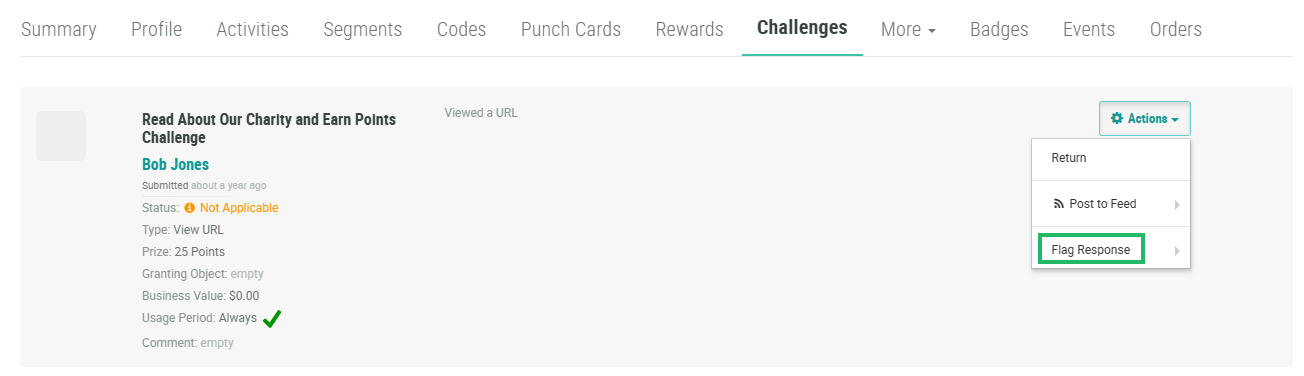
Next to the desired Challenge Response, from the Action drop-down menu, select Flag Response, then optionally select a reason (Inappropriate or Offensive) from the sub-menu.
To view the details of a previously flagged Challenge Response, navigate to the desired Challenge Response as described above. From the Action drop-down menu, select View Flag. A pop-up window is displayed, listing the user who flagged this Challenge Response, and the selected reason.
